
There are two ways to recover your password:
1. Via Mercury, Your Threat Intelligence Platform
a. Visit Mercury's main login URL at mercury.quointelligence.com.
b. Insert your email address you use to log into your Mercury Platform
c. Click on Forgot Password

d. You will be redirected to this link where you will need to enter your email address.
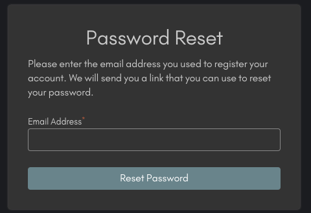
e. We will send you an email containing a recovery link.
⚠️ N.B.In case you don't see the recovery email, please remember to check your spam folder and whitelist communications coming from quointelligence.eu.
2. Via email to your Customer Success Manager and Support
You can also write directly to your dedicated Customer Success Manager or support@quointelligence.eu asking them to trigger the password reset procedure.
You will then receive an email from noreply@quointelligence.eu containing the recovery link.